| Welcome, Guest |
You have to register before you can post on our site.
|
| Forum Statistics |
» Members: 6,305
» Latest member: pixysoft
» Forum threads: 6,625
» Forum posts: 54,487
Full Statistics
|
| Online Users |
There are currently 18 online users.
» 1 Member(s) | 12 Guest(s)
Baidu, Bing, Facebook, Google, Twitter, Philippe Hurbain
|
|
|
| Popular new parts (LEGO Art, etc..) |
|
Posted by: tom alphin - 2020-09-06, 5:02 - Forum: Part Requests
- Replies (8)
|
 |
I encountered some fairly common (and highly sought) new parts that are missing, which sadly prevents me from adding labels for these parts to my LEGO Brick Labels collection.
I'd love to see these added to the collection!
- 66956 - 8 sets, 5 colors.
- 65803 - 4 sets, 1 color (LEGO Art)
- 67139 - 4 sets, 1 color (LEGO Art)
- 55819 - 4 sets, 1 color (LEGO Art)
Slightly older parts:- 27393 - 2017+ 33 sets, 7 colors.
Also love to see a final model for 20953 that correctly accepts color application. (The current one is fixed "black" for top and bottom.)
Sincerely,
---tom
|

|
|
| [LPub3D] Change multi step assem margins to ignore callouts? |
|
Posted by: Cam's Bricks - 2020-09-04, 6:39 - Forum: LDraw Editors and Viewers
- No Replies
|
 |
Is this even possible?
Right now if I create a multi step page and one of the steps has a callout, that callout is counted as the step's total area for the purposes of margin calculation. This is an issue if I want to make a second column.
Maybe there is a way to have the default callout position, and therefore margin calculation, to be under the step image instead of to the right? Then I could used the 0 !LPUB RESERVE and/or margin parameters to better shape the way the page is laid out.
Thanks,
Cameron
PS has anyone heard from Trevor? I have emailed a couple times and havent seen him respond on sourceforge in months. The last login here was also in early march.
|
|
|
|
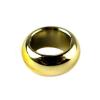
| BEAD004 From Lego Pens |
|
Posted by: SNIPE - 2020-09-02, 8:56 - Forum: Part Requests
- Replies (4)
|
 |
Hi,
I need help finishing my implementation of part BEAD004, I need the stud to be fully hollow so a bar can go right through it and also the bottom tube is intersecting the top wall of the brick slightly.
Here is my code so far:
4 16 -15 30 -15 -15 0 -15 15 0 -15 15 30 -15
4 16 15 30 -15 12 30 -12 -12 30 -12 -15 30 -15
4 16 15 30 15 12 30 12 12 30 -12 15 30 -15
4 16 -15 30 15 -12 30 12 12 30 12 15 30 15
4 16 -15 30 -15 -12 30 -12 -12 30 12 -15 30 15
0
1 16 0 1 0 1 0 0 0 -7.25 0 0 0 1 stud4.dat
1 16 0 30 0 15 0 0 0 -30 0 0 0 15 box4t.dat
0 BFC INVERTNEXT
1 16 0 30 0 12 0 0 0 -26 0 0 0 12 box5.dat
1 16 0 0 0 1 0 0 0 1 0 0 0 1 stud2.dat
Here are some references to the parts design:
https://youtu.be/eiegAdgSpcg?t=481
https://www.bricklink.com/v2/catalog/cat...ead004#T=C
There is also a load of other beads that are super useful that I would like to see but thats maybe for a seperate thread, and they are too complex for a beginner like me to make in LDRAW.
Regards, Snipe.
|
|
|
|
| LDraw snapshots coming up empty |
|
Posted by: Ber - 2020-09-02, 5:22 - Forum: LDraw Editors and Viewers
- Replies (15)
|
|
I have recently installed the LDraw AIOI installer, and trying to get started with it.
I have a model open in LDView, and it is looking good. I then try to use the snapshot function to get a png file render of the model, but the resulting file is coming up as empty/black.
I'm highly proficient with computers, but new to everything LDraw. I've tried to find a troubleshooting guide or a forum post of someone else experiencing this problem before, to fix the problem myself, but come up blank.
So I'm hoping can someone here help me out. Any suggestions what might be configured wrong, or I'm doing wrong, etc?
|
|
|
|
| 0.8.52 Beta Released (bugfix for newer Java versions) |
|
Posted by: Nils Schmidt - 2020-09-01, 17:25 - Forum: Parts Author Tools
- Replies (10)
|
 |
Hey,
this release added support for newer Java versions (e.g. Java 9, Java 10...).
The minimum required Java version is still version 8. You can skip this release if you like, since no other features were added.

As always, you can download LDPE from this page:
http://nilsschmidt1337.github.io/ldparteditor/
Changelog:
(1 bug fix)
With this release the following critical issue is fixed:
- The Windows program (LDPartEditor.exe) will now start with support of newer Java versions.
The program was tested intensively with "real world" files.
However, it is still a beta version and something can go wrong in about 140.000 lines of code.
Make sure that you choose the right architecture for your OS and Java Virtual Machine (JVM) (64bit or 32bit).
A short guide how to check if a 64bit JVM is installed on your system is located at the bottom of this message.
- Download the zip-Archive
- Extract the archive content to the location of your choice
- On windows, double-click "run.bat" to start LDPE.
- On linux/mac, you have to excecute the shell script "run.sh" to start LDPE.
Please note that this software is in the beta stage. Although, this version was tested, there are already known issues for this release. There is a potential risk of data loss.
You can search for updates if you do the following steps:
- On windows, double-click "update.bat" to search for updates.
- On linux/mac, you have to excecute the shell script "update.sh".
I listen carefully to your requests and possible complaints. Please leave me a message, with your thoughts and wishes to further improve the software.
LDPE is a 3D CAD application: The overall system requirements are higher. While I recommend to use a powerful 64-bit multicore system, it could be possible, to run LDPE on older machines as well.
System Requirements:
Minimum System Requirements:
- 64-bit Java Runtime Environment (JRE) 1.8
- OpenGL 2.1 compatible Graphics Card
- Operating System (64-bit): Windows [7 or newer], Linux [e.g. Ubuntu Linux >=14.4], Mac OS X [>=10.6]
- CPU: Multicore-Processor e.g. Intel Core 2 Duo or AMD Athlon II (>2.0Ghz)
- RAM: 4GB
- Video-Memory: 1 GB
- Free Disk Space: 100 MB
Recommended Requirements:
- 64-bit Java Runtime Environment (JRE) 1.8 (or newer)
- Operating System (64bit): Windows 7,8,10, Linux [e.g. Ubuntu Linux >=14.4], Mac OS X [>=10.6]
- OpenGL 3.3 compatible Graphics Card
- CPU: Multicore-Processor with 4 cores (or more)
- RAM: >4 GB
- Video-Memory: >1 GB
- Free Disk Space: 512 MB
- For a faster start, LDPartEditor and the LDraw™ library should be installed on an SSD.
--------------------------------------------------------------------------------
How to check your JVM version (32- or 64-bit):
--------------------------------------------------------------------------------
You can try on the command line:
If it's not a 64-bit version, you'll get a message that looks like:
This Java instance does not support a 64-bit JVM. Please install the desired version.
|
|
|
|
|