LDCad help combining animation movements


LDCad help combining animation movements
#1
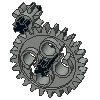
I made a simple mechanism demonstrating some Technic capabilities.  I'd like to use it in a workshop at a Bricks By The Bay convention next summer.

Animations make good advertisements for showing people what Technic can do.  But I'm having a problem combining three movements into a single movement.   It's awkward to describe with just words, so I made a YouTube video showing the problem.

The LDraw file I will use for building instructions is here.

The LDraw file I used for the animation is here.  It organizes sub-models by their connectivity, not by how you would assembly the MOC.

The three Lua code files are here, here, and here.

Any help is appreciated.

Walt
Reply
RE: LDCad help combining animation movements
#2
(2020-01-02, 20:39)Walt White Wrote: But I'm having a problem combining three movements into a single movement.
Having all three movements in the same animation presents a major problem (or shortcoming) of the animation scripting engine.

This because it calculates the state of ANY frame based on the current frame time.

This is usually done by a single control angle from which all others derive their state, but with this setup you have 3 different paths. To solve it you need to 'cache' the starting situation of every point in the animation where you switch from one to the other mechanical mode.

I had the same problem in the 8860 model concerning its gear box stuff.

As a result I wrote some helper 'classes' to make it a lot easier to handle.

To use those tools you need to switch the whole animation to the 'story telling' way of doing things though.

Below is a basic setup incorporating the continuous part of your animation.

Combined with the comments in the 8860 animation you might be able to add the rest yourself.

But if needed I could write something more complete this weekend.


Code:
genTools=require('genTools') aniTools=require('aniTools') function mainActor()   local mainSf=ldc.subfile()   local result=aniTools.actor()   --Joints and aniElms   result.inputGearsAngle=result:addAniElm(aniTools.aniElm(0))   result:addJoint(aniTools.angleJoint(mainSf:getRef('InputGears.ldr'), result.inputGearsAngle, ldc.vector(0, 1, 0)))   result.knobPairAngle=result:addAniElm(aniTools.aniElm(0))   result:addJoint(aniTools.angleJoint(mainSf:getRef('KnobPair.ldr'), result.knobPairAngle, ldc.vector(0,0, 1)))   result.endGearsAngle=result:addAniElm(aniTools.aniElm(0))   result:addJoint(aniTools.angleJoint(mainSf:getRef('EndGears.ldr'), result.endGearsAngle, ldc.vector(0,1,0)))   result.pivotDriverAngle=result:addAniElm(aniTools.aniElm(0))   result:addJoint(aniTools.angleJoint(mainSf:getRef('PivotDriver.ldr'), result.pivotDriverAngle, ldc.vector(0,1,0)))   return result end function onStart()   story=aniTools.story()   local actor=story:addActor(mainActor())   local seq=story:addSequence(aniTools.sequence())   --actions   seq:addAction(aniTools.speedAction(actor.inputGearsAngle, 0, nil, 45))   seq:addAction(aniTools.ratioDepAction(actor.knobPairAngle, 0, nil, actor.inputGearsAngle, -1))   seq:addAction(aniTools.ratioDepAction(actor.endGearsAngle, 0, nil, actor.knobPairAngle, -1))   seq:addAction(aniTools.ratioDepAction(actor.pivotDriverAngle, 0, nil, actor.endGearsAngle, -1))   --This helps the story table optimize some things it would otherwise do in the first onFrame apply call.   -- Keep it at the bottom of the onStart function.   story:prep() end function onFrame()   story:apply(ldc.animation():getFrameTime()) end function register()   local ani=ldc.animation('My animation')   ani:setEvent('start', 'onStart')   ani:setEvent('frame', 'onFrame') end register()

Reply
RE: LDCad help combining animation movements
#3
Roland,

Appreciate the help.  I'll try to figure out the 8860 code by looking at the "actors" and hopefully my example will have only three actors and each will have a simple motion to describe.

The trick for me will be to recognize the main "story" components out of the 1100 lines of code in 8860.

Good mental exercise!  Keep me busy this weekend.

Walt
Reply
RE: LDCad help combining animation movements
#4
(2020-01-02, 23:37)Walt White Wrote: Appreciate the help.  I'll try to figure out the 8860 code by looking at the "actors" and hopefully my example will have only three actors and each will have a simple motion to describe.

The trick for me will be to recognize the main "story" components out of the 1100 lines of code in 8860.

Both 8860(and your model have only one actor. Actors are used to describe the bone structure of the things moving. This way you won't have to worry about recursion of stuff attached to other stuff.

As it has been a couple of years for me using this stuff myself I went and made the mechanical part of the animation (as far I understand it).

It needs a better story (not just infinite rotation at the starting gear)

But it should get you going a whole lot faster as there is next to nothing documentation wise Big Grin

Code:
genTools=require('genTools') aniTools=require('aniTools') function mainActor()   local mainSf=ldc.subfile()   local result=aniTools.actor()   --Joints and aniElms   result.inputGearsAngle=result:addAniElm(aniTools.aniElm(0))   result:addJoint(aniTools.angleJoint(mainSf:getRef('InputGears.ldr'), result.inputGearsAngle, ldc.vector(0,1,0)))   result.knobPairAngle=result:addAniElm(aniTools.aniElm(0))   result:addJoint(aniTools.angleJoint(mainSf:getRef('KnobPair.ldr'), result.knobPairAngle, ldc.vector(0,0,1)))   result.endGearsAngle=result:addAniElm(aniTools.aniElm(0))   result:addJoint(aniTools.angleJoint(mainSf:getRef('EndGears.ldr'), result.endGearsAngle, ldc.vector(0,1,0)))   result.pivotDriverAngle=result:addAniElm(aniTools.aniElm(0))   result:addJoint(aniTools.angleJoint(mainSf:getRef('PivotDriver.ldr'), result.pivotDriverAngle, ldc.vector(0,1,0)))   result.pivotArmAngle=result:addAniElm(aniTools.aniElm(0))   local arm=result:addJoint(aniTools.angleJoint(mainSf:getRef('PivotArm.ldr'), result.pivotArmAngle, ldc.vector(0,1,0)))   --Attach the hor arm axle to the arm joint instead of the actor itself.   result.pivotHorizontalsAngle=result:addAniElm(aniTools.aniElm(0))   arm:addJoint(aniTools.angleJoint(mainSf:getRef('PivotHorizontals.ldr'), result.pivotHorizontalsAngle, ldc.vector(0,0,1)))   --Create a state tracking table for the pivot angle as everyhing behind it depends on the current mode.   result.modeStateInfo=result:addStateInfo(aniTools.numberDepStateInfo(result.pivotDriverAngle, {mode=0}))   return result end function modeDepAction(actor)   --Custom state dependend action, to handle all possible dependency chains based on a current mode variable.   local result=aniTools.stateInfoDepAction(actor.modeStateInfo, 0, nil)   result.actor=actor     result.initTotals=function(self)     self.totPivotArmAngle=0     self.totPivotHorizontalsAngle=0   end     result.processState=function(self, state)       local mode=state.value.mode     local mainAngle=state.elmValueDiff --don't access pivotDriverAngle directly as that gives it's current ABS angle. We want the one relative to the start of this state segment.     local armAngle=0     local horAngle=0        if mode==0 then       --only arm moves       armAngle=mainAngle     elseif mode==1 then       --block arm       horAngle=-mainAngle     else       --block hor       armAngle=mainAngle       horAngle=-armAngle     end         self.totPivotArmAngle=self.totPivotArmAngle+armAngle     self.totPivotHorizontalsAngle=self.totPivotHorizontalsAngle+horAngle   end     result.applyTotals=function(self)     self.actor.pivotArmAngle:setValue(self.totPivotArmAngle)     self.actor.pivotHorizontalsAngle:setValue(self.totPivotHorizontalsAngle)   end     return result end function onStart()   story=aniTools.story()   local actor=story:addActor(mainActor())   local seq=story:addSequence(aniTools.sequence())     --==actions==--     --base gears run forever   seq:addAction(aniTools.speedAction(actor.inputGearsAngle, 0, nil, 45))   seq:addAction(aniTools.ratioDepAction(actor.knobPairAngle, 0, nil, actor.inputGearsAngle, -1))   seq:addAction(aniTools.ratioDepAction(actor.endGearsAngle, 0, nil, actor.knobPairAngle, -1))   seq:addAction(aniTools.ratioDepAction(actor.pivotDriverAngle, 0, nil, actor.endGearsAngle, -1))     --Setup state dep actions   seq:addAction(modeDepAction(actor))  --custom action   seq:addAction(aniTools.stateChangeAction(actor.modeStateInfo, 2, {mode=1}))   seq:addAction(aniTools.stateChangeAction(actor.modeStateInfo, 4, {mode=2}))   --==All done==--   story:prep() end function onFrame()   story:apply(ldc.animation():getFrameTime()) end function register()   local ani=ldc.animation('My animation')   ani:setLength(10)   ani:setEvent('start', 'onStart')   ani:setEvent('frame', 'onFrame') end register()

Let me know if you need more comments.
Reply
« Next Oldest | Next Newest »


Forum Jump:


Users browsing this thread: 1 Guest(s)