


Well it took over 2.5 years but here it finally is: 1.7 Beta 2
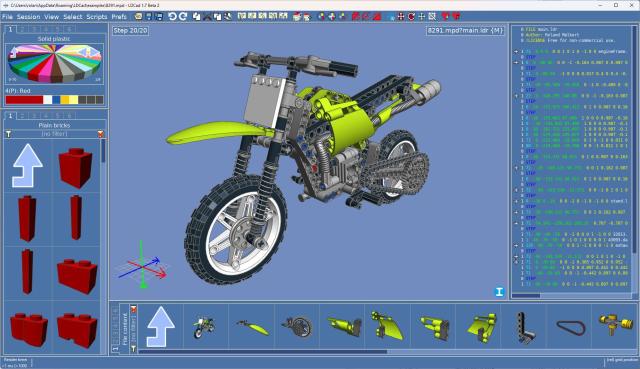
Many new features/changes, like:
- Rewrite of the LDConfig.ldr loading, it now supports runtime changes and reloads.
- Added support for the !AVATAR and !PREVIEW metas.
- Applied LDraw core spec changes
- Alternative editor panning/rotation control.
- goto step number dialog (part of the default icon bar but you will need to manually reset it when upgrading).
- You can now edit filter pbg files during runtime.
- reorganized the partBin mostly to remove 'unwanted' parts.
- reorganized and extended the default templates.
- improved the shadow library cleaner tools (now also supports unofficial ldraw.org parts).
- a whole lot of bugfixes.
- See changeLog.txt for the full list of changes.
Windows 11 defender will nag about the unknown publisher of the setup. But you should be able to run it anyway by clicking on 'more info'.
If not then you will need to download the archive version and copy all files over the old ones manually. Let me know here if more information is needed.
As always you can get the latest version at:
https://www.melkert.net/LDCad/download
Hope it was worth the wait.
Many new features/changes, like:
- Rewrite of the LDConfig.ldr loading, it now supports runtime changes and reloads.
- Added support for the !AVATAR and !PREVIEW metas.
- Applied LDraw core spec changes
- Alternative editor panning/rotation control.
- goto step number dialog (part of the default icon bar but you will need to manually reset it when upgrading).
- You can now edit filter pbg files during runtime.
- reorganized the partBin mostly to remove 'unwanted' parts.
- reorganized and extended the default templates.
- improved the shadow library cleaner tools (now also supports unofficial ldraw.org parts).
- a whole lot of bugfixes.
- See changeLog.txt for the full list of changes.
Windows 11 defender will nag about the unknown publisher of the setup. But you should be able to run it anyway by clicking on 'more info'.
If not then you will need to download the archive version and copy all files over the old ones manually. Let me know here if more information is needed.
As always you can get the latest version at:
https://www.melkert.net/LDCad/download
Hope it was worth the wait.




 I'm honored!